-
Bills: enter vendor bills, set due dates, and track what's owed.
-
Expenses: record one-off expenses with receipts and categorization.
-
Vendor credits: apply credits from vendors against future bills.
-
Bill payments: record payments, partial payments, and payment history.
-
Purchase orders: create POs to track orders before bills arrive.
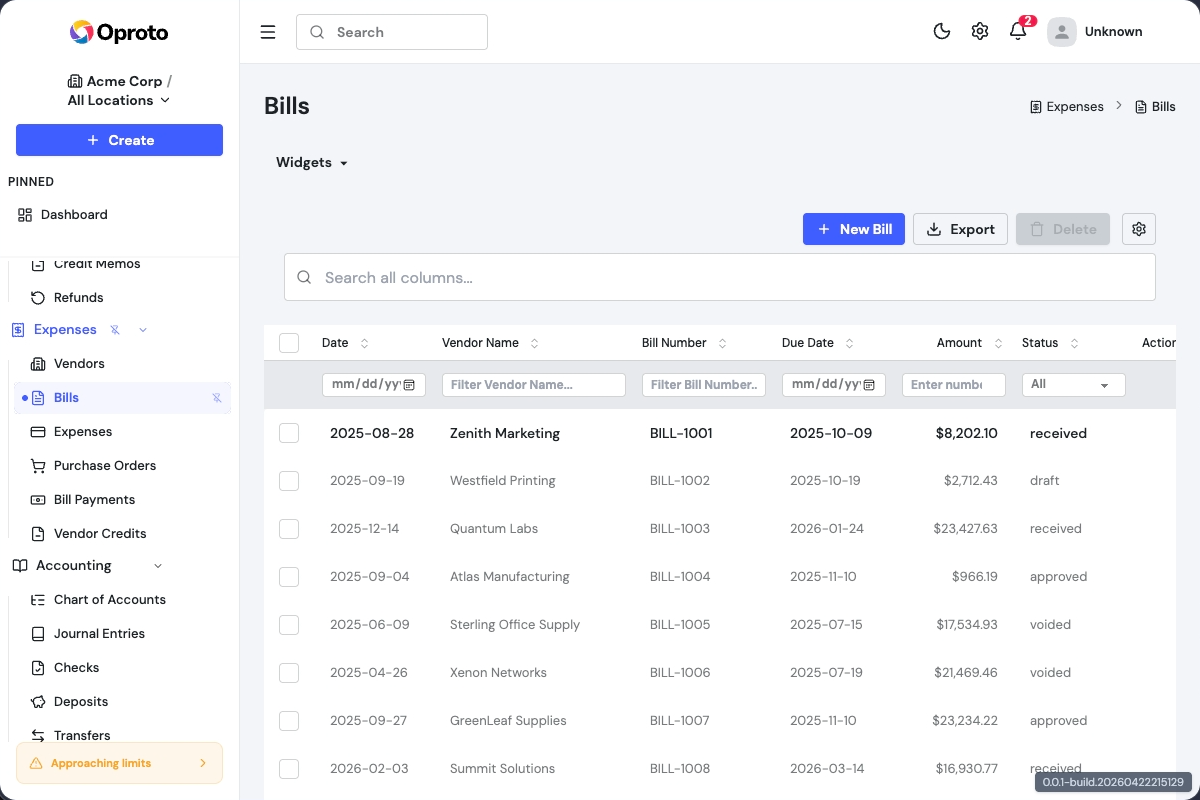
Staying on Top of What You Owe
Tracking expenses across one business is straightforward. Tracking them across several LLCs or subsidiaries is where things get complicated. Oproto keeps each company's bills, vendor credits, and purchase orders in their own set of books, so nothing bleeds between entities. You can enter a vendor bill, set a due date, and see it on your aging report right away. When tax season arrives, your expenses are already categorized and ready to hand off to your accountant. If you manage rental properties, each LLC's maintenance costs and operating expenses stay separate without extra spreadsheets. The goal is simple: know what you owe, to whom, and when it's due.